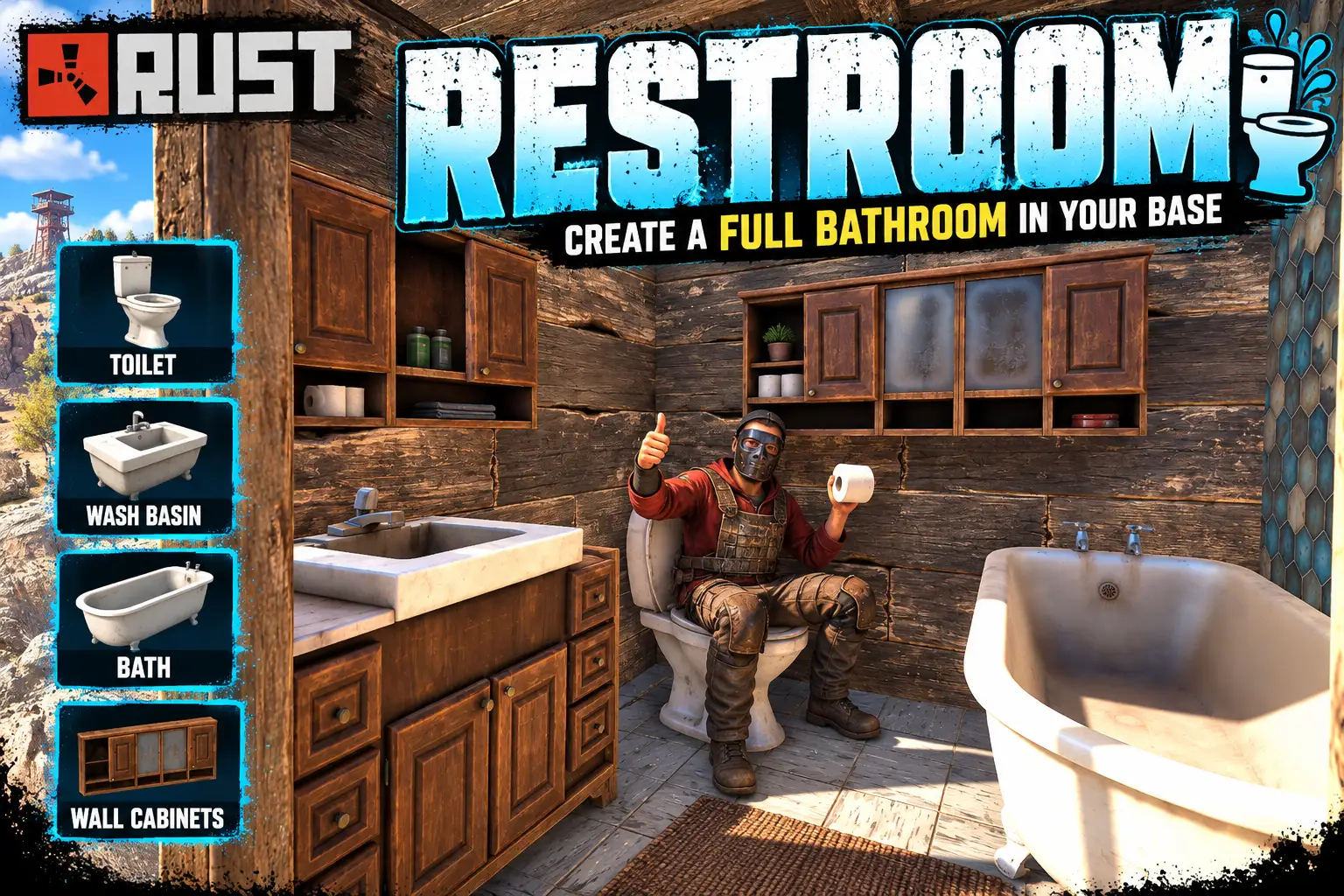
Overview
Restroom lets players fit out a bathroom in their own base. Toilets, a bath, sink units and wall cabinets, the same ones found in the game's monuments, are picked from a bar of pictures and placed on a floor or wall the player built.
They are the game's own fittings, so they work as well as look the part. You sit on a toilet or in the bath, the sink units and cabinets are storage, and you can drink from the kitchen sink.
Each fitting costs resources, and you set the cost. Part of it comes back when the fitting is removed. Every setting can be changed in game from a settings panel, with no reload.
The eight fittings
On the floor
- Toilet: sit on it with E. 300 stones and 50 metal fragments.
- Steel toilet: sit on it with E. 300 metal fragments.
- Bucket toilet: sit on it with E. 50 metal fragments.
- Bath: sit in it with E. 400 metal fragments.
- Sink unit: storage, 18 slots. 300 wood and 100 metal fragments.
- Sink with cupboard: storage, 48 slots, and you can drink from it. 400 wood and 150 metal fragments.
On the wall
- Wall cabinet: storage, 18 slots. 250 wood.
- Over-sink cabinet: storage, 18 slots. 200 wood.
The costs are the defaults. Each one is a setting.
How it works
- Type
/restroom. A bar opens above the toolbelt with a picture of each fitting. - Click one. It stands in front of you, turning slowly, and the bar shows what it costs and whether it stands on a floor or goes on a wall. LOOK (or a right click) lets go of the mouse so you can look round at it. Right click again to bring the bar back.
- Press PLACE. The fitting follows where you look. R turns a floor fitting, a left click puts it down, and you can keep clicking to place as many as you can pay for. A right click goes back to the bar.
- A wall cabinet goes on the wall at the height you look at, flat against it and facing into the room.
While you are placing, a strip on screen is green when the spot is good and red when it is not, and says why: "There is not enough room there."
Open /restroom again later and it comes back on the fitting you last picked.
Flat against the wall
Hold SHIFT while placing a floor fitting near a wall and it goes flat against the nearest one, squared up to it, with no gap. R then turns it a quarter turn at a time, so a bath can lie along the wall or stand end on to it. Let go of SHIFT and it is free again.
Taking a fitting out again
REMOVE takes a fitting away. Look at it and left click: it is shown inside a red sphere so you can be sure which one you have picked. Left click again within five seconds and it is gone, and part of what it cost is put back in your inventory (half by default).
- A sink unit or cabinet must be emptied first.
- A toilet or bath cannot be removed while somebody is sitting on it.
- Only what Restroom placed can be removed, never a monument's own fittings.
- Players remove their own.
restroom.admincan remove anyone's, with nothing given back.
Fair on a live server
- Your own cupboard only. Placing needs building privilege at the spot, so nobody can fit a bathroom in someone else's base.
- Built floors and walls only. A fitting stands on a floor or foundation, or hangs on a wall, that a player built. Not on bare ground, rocks or monuments.
- Room is checked. A fitting cannot be placed through a wall, a box, a player or another fitting.
- A limit per player, 10 by default.
- It goes with its floor or wall. When the floor or wall a fitting is on is destroyed, the fitting is destroyed too, and a cabinet drops what it holds. Raiders still get the contents.
- No free refunds. What comes back on REMOVE is a share of what was actually paid, so a fitting placed free gives nothing back, and changing the costs later does not change what an older fitting returns.
Every setting, in game
SETTINGS, on the bar for players with restroom.admin, lists every setting. Type a value and press Enter, or click a switch, then press SAVE. The config file is written and the new settings are in use at once, with no reload. DISCARD puts everything back.
- Fittings each player may place: the limit per player, 0 to 1000. Default 10.
restroom.adminignores it. - Only where the player has building privilege: placing needs the player's own cupboard at the spot. Default on.
restroom.adminignores it. - Furthest a player may place from where they stand: in metres, 2 to 30. Default 6.
- Share of the cost given back on REMOVE: 0 gives nothing back, 1 gives everything back. Default 0.5.
- Preview turn speed: how fast the fitting turns in front of you, in degrees a second. 0 keeps it still. Default 30.
- Cost of each fitting: one line for each of the eight fittings, written as item short names and amounts:
wood: 200, metal.fragments: 100. Any items, any amounts. An empty line makes that fitting free. An item name the game does not know is refused.
The config file can still be edited by hand if you prefer.
Restarts and wipes
Placed fittings are saved with the map, so they are still there, with what is in them, after a restart. On a new map the plugin's records are cleared automatically, so there is nothing to tidy up on wipe day.
Languages
English, Russian, German, French, Spanish, Brazilian Portuguese and Simplified Chinese are built in, with no lang files to install. The fitting names are translated as well. Each player sees the language their own client is set to. Item names in a cost, and the setting names in SETTINGS, stay in English.
Every download is licensed to you and watermarked with your details.
Features
- Toilets, a bath, sink units and wall cabinets for player bases
- The game's own monument fittings, eight in all, each with its own picture
- Sit on the toilets and in the bath
- Sink units and cabinets are storage; the kitchen sink has 48 slots and drinking water
- See it turning in front of you before you place it
- Hold SHIFT to snap a fitting flat against the nearest wall
- Wall cabinets hang at the height you look at
- A resource cost for each fitting, set by you
- REMOVE gives part of the cost back
- Only under your own cupboard, on floors and walls you built, with room checked
- A limit per player
- A fitting goes when its floor or wall goes, and a cabinet drops its contents
- Every setting and every cost changed in game, with no reload
- Survives restarts; clears itself on a new map
- Seven languages built in, fitting names included
Install
- Download Restroom.cs from My Plugins.
- Drop it into
oxide/pluginsorcarbon/plugins. - Grant the permissions:
o.grant group default restroom.use
o.grant group admin restroom.admin
On Carbon use c.grant instead of o.grant.
The file name must stay Restroom.cs, because Oxide matches it to the class name.
Nothing else is needed. The pictures on the tiles are inside the file, so there is no image plugin to install.
The config is written to oxide/config/Restroom.json (or carbon/configs/Restroom.json) on first load. Change it in game with the SETTINGS button on the bar, or edit the file and reload the plugin (o.reload Restroom or c.reload Restroom).
To let a group place fittings without paying, grant it restroom.free.
Config
{
  "Fittings each player may place": 10,
  "Only where the player has building privilege (their own cupboard)": true,
  "Furthest a player may place from where they stand (m)": 6.0,
  "Share of the cost given back on REMOVE (0 to 1)": 0.5,
  "Preview turn speed (degrees a second, 0 = still)": 30.0,
  "Cost of each fitting (item short name: amount)": {
    "toilet": {
      "stones": 300,
      "metal.fragments": 50
    },
    "toilet_steel": {
      "metal.fragments": 300
    },
    "bucket": {
      "metal.fragments": 50
    },
    "bath": {
      "metal.fragments": 400
    },
    "sink_unit": {
      "wood": 300,
      "metal.fragments": 100
    },
    "kitchen_sink": {
      "wood": 400,
      "metal.fragments": 150
    },
    "wall_cabinet": {
      "wood": 250
    },
    "sink_cabinet": {
      "wood": 200
    }
  }
}
Commands & Permissions
Commands
Chat
/restroom— open the fittings bar; type it again to close it
Everything else is done with the buttons on the bar: the eight tiles, PLACE, LOOK, REMOVE and, for restroom.admin, SETTINGS.
While placing
- Left click — place it, and carry on placing
- R — turn a floor fitting (a quarter turn while SHIFT is held)
- SHIFT (held) — snap a floor fitting flat against the nearest wall
- Right click — back to the bar
While removing
- Left click — pick the fitting you are looking at; left click again to remove it
- Right click — back to the bar
Permissions
restroom.use— open the bar, place fittings, and remove your ownrestroom.free— fittings cost nothing (and so give nothing back when removed)restroom.admin— place with no cupboard and no limit, remove anyone's fittings, and use SETTINGS. It includesrestroom.use, but notrestroom.free: an admin still pays unless they hold that as well
Changelog
| Version | Released | Changes |
|---|---|---|
| v0.4.0 latest |
|