Overview
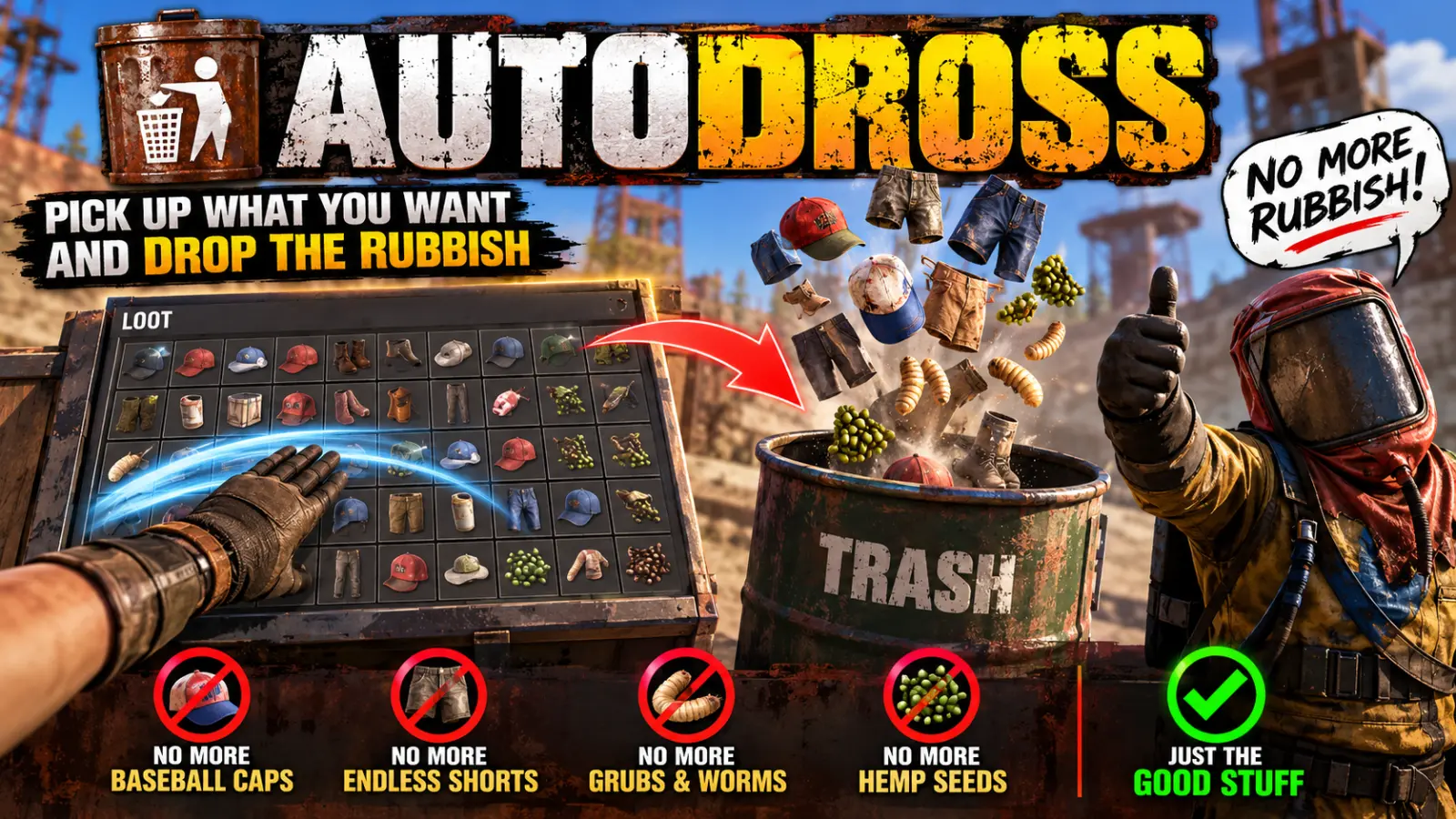
AutoDross keeps your inventory free of rubbish. Tick the things you never want to carry, and they are dropped at your feet the moment they reach your pockets.
Every Rust player knows the feeling. You loot a few barrels, chop a tree, pick up a crate's worth of gear on the road, and when you open your inventory half of it is worms, grubs, seeds and odds and ends you will never use. Each one takes a slot. Soon you are full, standing in the middle of a monument, dragging junk out one stack at a time while someone lines up a shot.
AutoDross does that sorting for you, before it ever becomes a problem.
Your slots stay for the things that matter
- Rubbish never takes a slot. A ticked item is dropped the instant it lands in your inventory or toolbelt, so the slot it would have filled stays empty.
- Loot runs go further. With the junk dropping itself, the 24 slots you have go on scrap, components, guns and resources. You head home because you have finished, not because you are full.
- No more stopping to clear out. Nobody has to stand still in the open, dragging grubs and seeds out of a full inventory.
- Your toolbelt stays clean. A stray item that slips into an empty belt slot is gone before you press the wrong number in a fight.
- It's the same in every run. Choose once and it holds for every barrel, crate, corpse and node from then on, through restarts and wipes.
Choosing what goes
Type /dross and a list of every item in the game opens, grouped by the game's own categories, each with its picture.
- Tick an item to have it dropped, untick it to keep it.
- Flip a whole category with its switch.
- Search. Click the box in the header, type part of a name (
seed,grub) and press Enter. It lists every matching item from every category, and the switch ticks them all at once. - Untick all clears every choice in one click.
- Closing the list drops anything ticked that you are already carrying, so you start with clean pockets.
Each player chooses for themselves. One player's rubbish is another's crafting material, so nothing is decided for anyone.
Safe by design
- Only your main inventory and toolbelt are watched. Anything you wear and the contents of a backpack are never touched.
- Dropped, not deleted by default. A ticked item lands at your feet, so if you change your mind you can untick it and pick it back up. Server owners who want nothing left lying around can switch on destroying instead.
- Light on the server. It listens for new items only while someone online has something ticked, and only acts on their own inventory.
Languages
English, Russian, German, French, Spanish, Brazilian Portuguese and Simplified Chinese are built in, with no lang files to install. Each player sees the panel in the language their game is set to. Item names are shown in English, the only language the server has them in.
Every download is licensed to you and watermarked with your details.
Features
- Drops the items you never want the moment they reach your inventory
- Keeps your inventory and toolbelt slots free for loot that matters
- Every item in the game in one list, grouped by category with pictures
- Tick single items, or a whole category with one switch
- Search box finds matching items across every category
- Closing the list drops anything ticked you already carry
- Each player chooses their own items; choices survive restarts and wipes
- Clothing you wear and backpack contents are never touched
- Dropped at your feet by default, or destroyed if the server prefers
- Optional chat line naming what was dropped
- Only active while someone online has something ticked
- Seven languages built in
Install
- Download AutoDross.cs from My Plugins.
- Drop it into
oxide/pluginsorcarbon/plugins. - Grant the permission:
o.grant group default autodross.useOn Carbon use c.grant instead of o.grant.
The file name must stay AutoDross.cs, because Oxide matches it to the class name.
The config is written to oxide/config/AutoDross.json (or carbon/configs/AutoDross.json) on first load. Edit it and reload the plugin (o.reload AutoDross or c.reload AutoDross).
Config
{
  "Destroy dropped items instead of leaving them on the ground": false,
  "Tell the player what was dropped": false
}
Commands & Permissions
Commands
/dross— open the list of items to drop
Permissions
autodross.use— open/drossand have ticked items dropped. Without it the plugin leaves the player alone.
Changelog
| Version | Released | Changes |
|---|---|---|
| v0.2.1 latest |
|