Overview
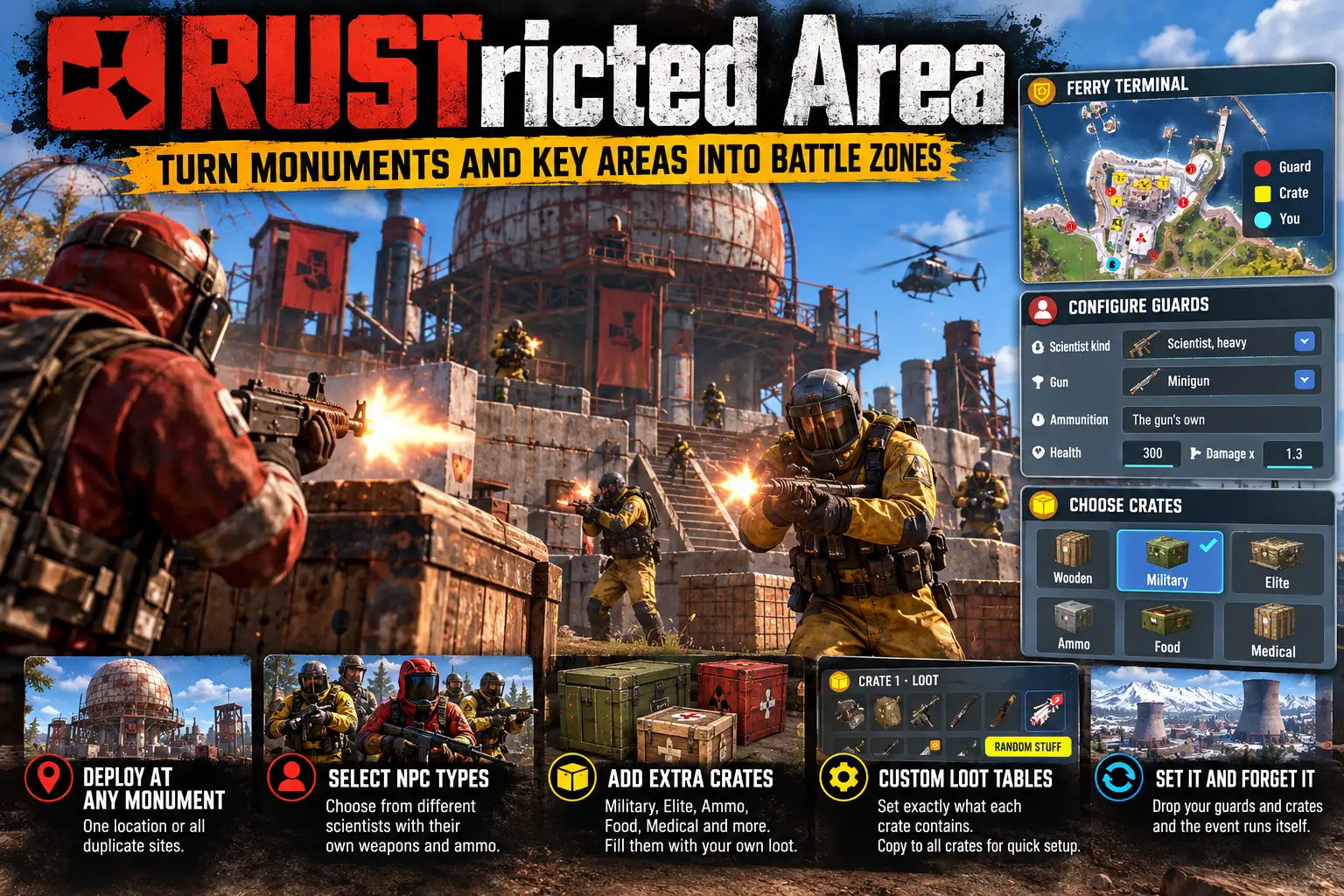
RustrictedArea turns Rust's monuments into places you have to fight for. Scientists stand guard at posts round a monument, and players fight their way in, loot it and fight their way out again.
Record it, or let it place the guards
Stand in a monument, type /ra record, and press R wherever a guard should stand, facing the way you look. Middle mouse adds a crate point. /ra done puts the guards up and opens the editor.
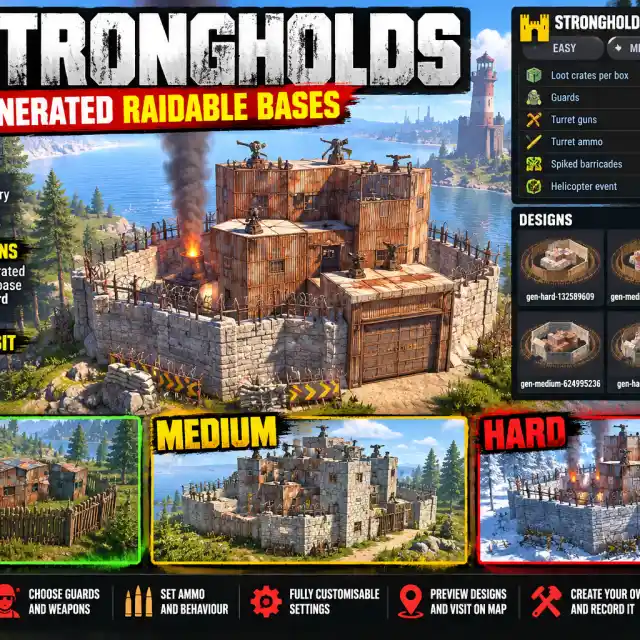
Or press Auto in the editor and pick a grade, Easy, Medium, Hard or Extreme. It spreads guards about the monument and crates well apart, on spots open to the sky (roofs and wrecks too, never inside a building). Each grade sets how many guards, their scientist kind, their guns, aim, damage and health, and which crates appear, all in the config.
Posts are kept relative to the monument, so a recording survives a wipe, works on any map, and covers every copy of a repeated monument (gas stations, supermarkets) unless you set it to one copy only.
A proper editor
/ra edit shows the monument's map picture with every post on it. Click a post to set its scientist kind, gun, ammunition, health, damage, aim and how far it will chase, move it to you, or delete it. LOOT on a post sets the extra items its body or crate holds (least, most and chance), and whether the game's own loot is kept; RANDOM STUFF rolls a fresh batch from that crate's own loot table. SETTINGS edits every config setting at once.
The raid
Nothing at a guarded monument can be looted, broken, hacked or picked up until a player injures one of its guards, or presses START RAID. That opens the loot for everyone.
Every player at a guarded monument sees a raid panel: each guard, crate and barrel as a pip, guards still standing, crates still to find, which way the nearest one is, how far along the raid is, and a raid log. Its see-through level is set per player, and anyone can hide it.
When a team is done they press FINISHED. Every crate, barrel and pick-up they missed is marked with its distance for a minute, the monument's loot is locked to them, and the remaining guards stand down until the monument resets. The same happens by itself once every raider has been away for 10 seconds, with a countdown on screen.
It resets itself
Guards stand only while a player is near (300 m by default) and sleep when nobody is, so an empty map costs the server nothing. A killed guard stays dead, through a restart too, until the monument resets: once nobody has been inside for 15 minutes, its guards and crates all come back together, ready for the next raid.
PVP domes
A monument above ground can have a PVP dome, off by default: a see-through sphere over it, seen from anywhere on the map, so players know they are walking into a fight. Pick its colour (red, green, purple, blue or grey), size and strength in the editor.
Free areas
Not every fight has to be at a monument. /ra area <name> makes a guarded area wherever you stand, up to 150 m each way, set up exactly like a monument: record, Auto, loot and dome. Free areas are cleared at a wipe.
Works with Pacifist
If you run Pacifist, a player who joins a raid is held hostile until it is over, and players willing to fight lose their NPC protection at monuments whose guards shoot on sight. Neither plugin needs the other.
Languages
English, Russian, German, French, Spanish, Brazilian Portuguese and Simplified Chinese are built in, with no lang files to install. Each player sees the language their own client is set to.
Every download is licensed to you and watermarked with your details.
Features
- Scientist guards at monuments, at posts you record or that Auto places
- Auto grades: Easy, Medium, Hard and Extreme (config)
- Recordings survive a wipe and work on any map
- Repeated monuments covered by one recording
- Editor with the monument's map picture and every post on it
- Per-post scientist kind, gun, ammo, health, damage, aim and chase
- Per-post loot: extra items with chance, or a random roll
- Loot locked until a guard is hurt or START RAID is pressed
- Live raid panel: guards, crates found, nearest loot, raid log
- FINISHED marks missed loot and stands the guards down
- Guards sleep when nobody is near; no cost on an empty map
- Killed guards stay dead until the monument resets
- Optional PVP dome in five colours
- Free guarded areas anywhere on the map
- Works with Pacifist
- Seven languages built in
Install
- Download RustrictedArea.cs from My Plugins.
- Drop it into
oxide/pluginsorcarbon/plugins. - Grant the admin permission:
o.grant group admin rustrictedarea.adminOn Carbon use c.grant instead of o.grant. Players need no permission to raid a guarded monument, use the raid panel, or press START RAID and FINISHED.
The file name must stay RustrictedArea.cs, because Oxide matches it to the class name.
- Go to a monument and type
/ra edit, then press Auto for a quick start, or/ra recordto place the posts yourself.
The config is written to oxide/config/RustrictedArea.json (or carbon/configs/RustrictedArea.json) on first load. Edit it and reload the plugin (o.reload RustrictedArea or c.reload RustrictedArea), or change every setting in game from SETTINGS in the editor.
Config
{
  "Guards stand only while a player is within this many metres of the monument": 300.0,
  "Guards sleep once no player is within this many metres of the monument (150 or more)": 350.0,
  "Minutes nobody is inside before a fought monument resets": 15.0,
  "Metres round a monument that count as inside it": 30.0,
  "Loot at a guarded monument locked until a player injures a guard (the raid starts)": true,
  "Minutes nobody is inside before a raid is over and the loot locks again": 5.0,
  "Default crate kind for a new crate point (normal, military, elite, ammo, food, medical)": "military",
  "Show players at a guarded monument a raid panel: guards, loot found and how far along the raid is": true,
  "PVP dome: metres it reaches past the monument's edge when its size is left on auto": 15.0
}
Commands & Permissions
Commands
Chat (admins)
/ra edit [key]— opens the editor for the monument you stand in/ra record— starts recording: R adds a guard post, middle mouse a crate point, right-click takes the last one back/ra done— stops recording, puts the guards up and opens the editor/ra list— every recorded monument and its state/ra reset— puts every guard and crate back now/ra delete— deletes the recording of the monument you stand in (twice within 10 s)/ra guards— lists the guards at the monument you stand in/ra area <name> [metres]— makes a free guarded area where you stand (50 m each way; 10-150)/ra area delete <name>— removes one (twice within 10 s)/ra areas— every free area
Chat (everyone)
/ra hud— hides the raid panel for good, or shows it again/ra hud <20-100>— sets the panel's opacity/ra opacity— frees the cursor to click the panel's opacity steps and cross/ra start— starts the raid (the same as START RAID)/ra finished— ends the raid for you and your team (twice to confirm)/ra close— closes the raid panel
F1 or server console
rustrictedarea.list,rustrictedarea.reset <key|all>,rustrictedarea.guards <key>,rustrictedarea.monumentsrustrictedarea.auto <key> <grade>— places guards and crates by graderustrictedarea.dome [key] [on|off|<colour>|<metres>|auto|strength <1-5>]rustrictedarea.area [add <name> <x> <z> [metres] | delete <name>]rustrictedarea.hud adjust— the same as/ra opacity; bindable
Permissions
rustrictedarea.admin— the editor, recording, Auto, free areas, domes and every admin command
Players need no permission: the raid panel, START RAID, FINISHED and the panel's own settings are open to everyone.
Changelog
| Version | Released | Changes |
|---|---|---|
| v0.1.2 latest |
|