Overview
TCUpgrade is built and tested on live Carbon and Oxide servers.
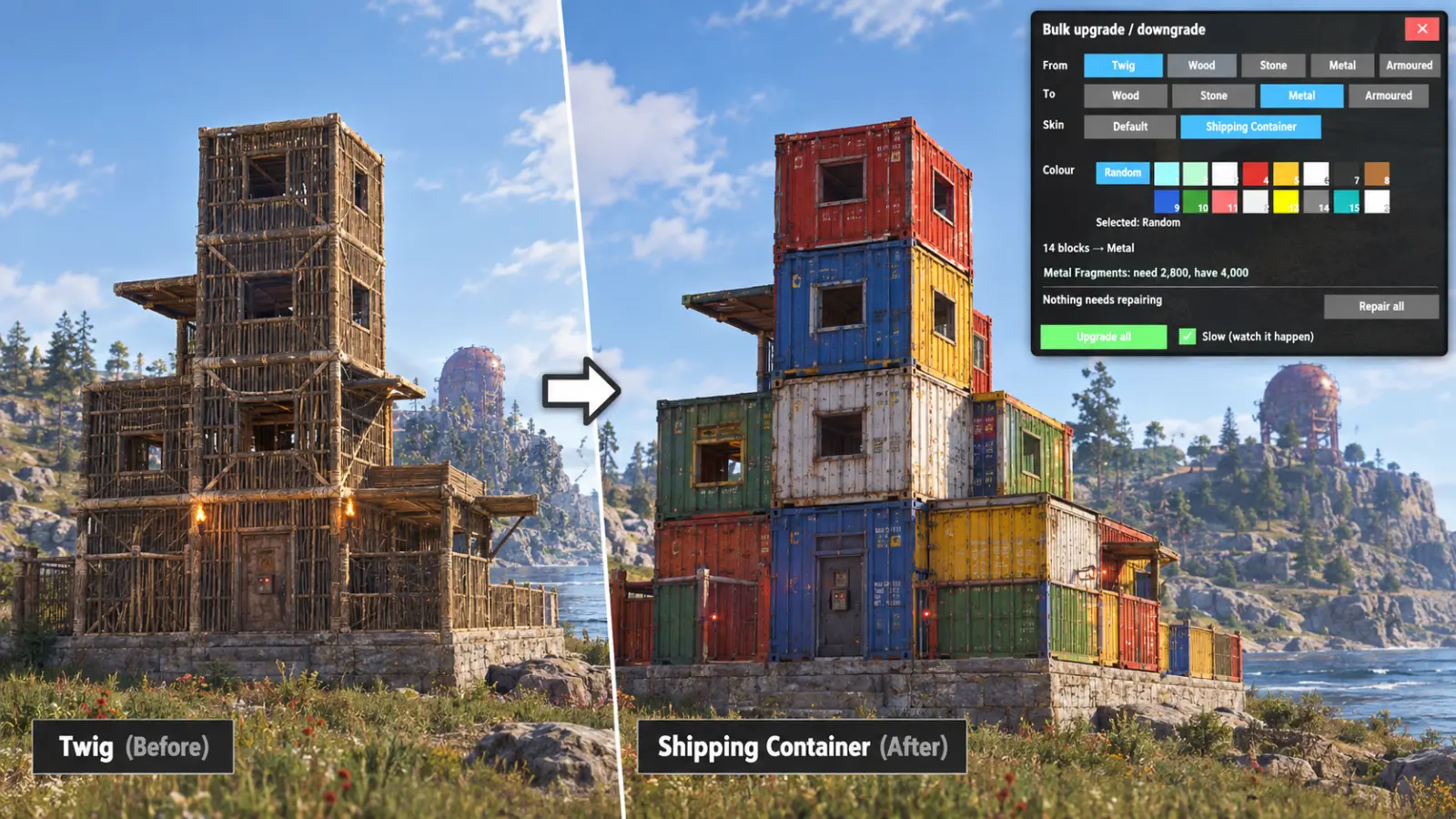
Upgrade a whole base from the tool cupboard, tier by tier, with the cost shown first.
Watch it magically upgrade was you stand back in the safety of your base - no need to go outside and risk getting shot !
VIP players and admins can be given the "downgrade" priviledge so they can revert a building from metal to stone, stone to woord or wood to stick.
When you downgrade you get your original material back into your TC or if that's full your personal inventory / storage boxes.
Every download is licensed to you and watermarked with your details.
Features
- Preview the full cost before paying
- Upgrade by tier or by grade
- Honours building-block rules
- VIPs can downgrade back to lower grade materials
Install
- Download TCUpgrade.cs from My Plugins.
- Drop it into
oxide/pluginsorcarbon/plugins. - Grant the permission:
o.grant group default tcupgrade.useThe file name must stay TCUpgrade.cs — Oxide matches it to the class name.
Config
{
  "Enabled": true,
  "Chat prefix": "[TCUpgrade]",
  "Radius": 25.0
}
Commands & Permissions
Commands
/tcupgrade— open the panel
Permissions
tcupgrade.use— allows using the plugin
Changelog
| Version | Released | Changes |
|---|---|---|
| v1.2.8 latest | Works with the Rust update of November 2026, which changed how pictures are stored. |