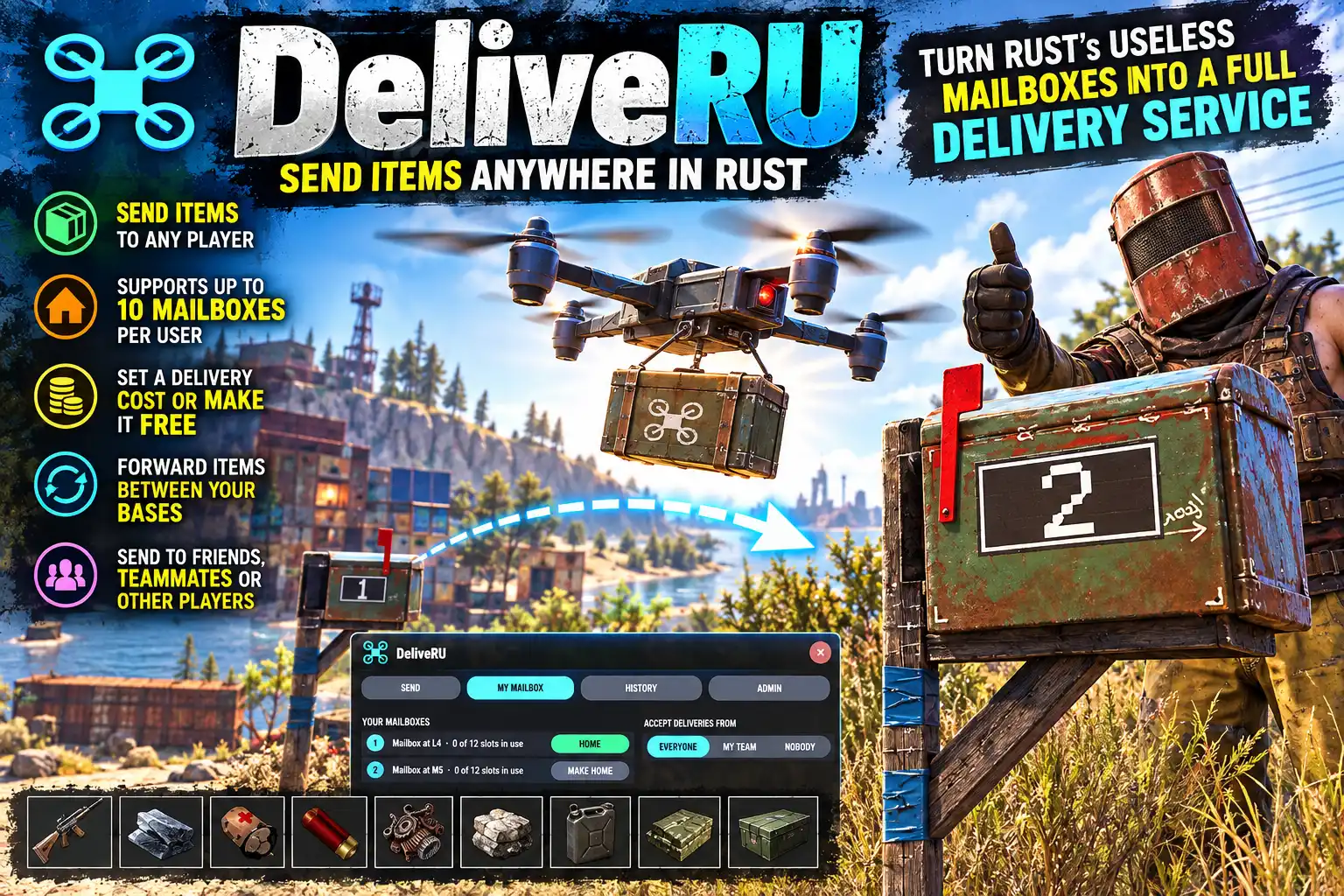
Overview
DeliveRU gives your server a postal service. Fill a mailbox with whatever you like, open /deliveru, pick a player and press SEND. A delivery drone flies in, collects the lot, crosses the map over the rooftops and drops it into their mailbox.
Its like when you buy from a Rust Marketplace at a monument, but now you're in charge!
How it works
- Place a mailbox and put in what you want to send: weapons, resources, components, anything.
- Open
/deliveru, or click the DeliveRU button on your own mailbox's loot panel. - Pick a player from the list, and one of their mailboxes. Before you send, the card shows the distance, the flight time, how many stacks are going, how much room there is at the other end, and the fee.
- Press SEND. The drone flies in and grabs the payload then whisks it across the map to its destination. Drones always fly at a safe height to avoid detection and smashing into other structures. At the other end it drops down to their mailbox, hands the delivery over, then flies off out of sight.
Both players are told when a delivery is on its way and when it has landed.
A vanilla mailbox holds only notes, photos and cassettes. DeliveRU lets the owner keep anything in their own mailbox, while the slot strangers post into stays letters-only, just as in the game.
Up to 10 mailboxes each
Every mailbox a player places is numbered, and the number is painted on both sides of the box. A sender picks the player and one of their mailboxes. Players can also send between their own mailboxes, which makes moving loot from one base to another a single click. Each player chooses a home mailbox, which is the default when a sender doesn't pick one.
Nothing goes missing
- Room is checked before sending. A mailbox with a delivery on its way takes nothing new until the drone lands, so the delivery always fits.
- Undeliverable goods come back. If the other mailbox is destroyed or full when the drone gets there, it turns round and brings everything home. If your own mailbox has gone as well, the items are left in a bag where it stood.
- Restarts and crashes are safe. Deliveries in the air are recorded with every world save. When the server comes back, each one is returned to its sender. Nothing is doubled, and nothing is lost.
- Fees are refunded when a delivery comes back (configurable). Scrap owed to a player who is offline is paid when they next connect.
Private mailboxes
A player's mailboxes open only for them, their team and anyone authorised on the TC. Each player decides who may send to them (Everyone, My team or Nobody), can block individual senders straight from their delivery history, and can switch the arrival messages off.
Delivery fees
Charge nothing, or charge a flat fee plus an amount for every kilometre flown, in scrap, in TradingPost credits, or either (credits first, scrap when a player is short). TradingPost is optional: without it, fees are taken in scrap. Admins send for free unless you say otherwise.
For admins
The ADMIN tab lists every delivery in the air, with a RETURN and a DELIVER NOW button for each, and sets the fee, the cooldown and the main switches without touching the config. deliveru.status shows the same list in the server console or over RCON. Drones cannot be shot down by default, but you can make them shootable, and then the cargo falls to the ground where the drone comes down. Cooldowns, per-player and server-wide limits on drones in the air, the drone's height and speed and a maximum flight time are all in the config.
Languages
English, Russian, German, French, Spanish, Brazilian Portuguese and Simplified Chinese are built in, with no lang files to install. Each player sees the language their own client is set to.
Every download is licensed to you and watermarked with your details.
Features
- Send everything in your mailbox to another player's mailbox
- The game's own Marketplace delivery drone flies it across the map
- Guns keep their attachments; any item can be sent
- Up to 10 numbered mailboxes a player, with the number painted on the box
- Send between your own mailboxes to move loot between bases
- Room checked before sending; undeliverable goods are flown back
- Deliveries in the air survive a restart or crash
- Optional fee in scrap or TradingPost credits, flat plus per km
- Private mailboxes: owner, team and cupboard only
- Players choose who can send to them and can block senders
- Admin tab to return or finish any delivery and change the fee
- Seven languages built in
Install
- Download DeliveRU.cs from My Plugins.
- Drop it into
oxide/pluginsorcarbon/plugins. - Grant the permissions:
o.grant group default deliveru.use
o.grant group admin deliveru.admin
On Carbon use c.grant instead of o.grant.
The file name must stay DeliveRU.cs, because Oxide matches it to the class name.
Players need a mailbox they placed themselves. Mailboxes placed before the plugin was installed count too, and are numbered the first time it loads. Apartment mailboxes at monuments are never used.
For fees in credits, install TradingPost as well. Everything else works on its own.
The config is written to oxide/config/DeliveRU.json (or carbon/configs/DeliveRU.json) on first load. Edit it, then reload the plugin (o.reload DeliveRU or c.reload DeliveRU). The fee and the main switches can also be changed in game on the ADMIN tab.
Config
{
  "Delivery fee (off, scrap, credits or either)": "off",
  "Fee for every delivery": 10,
  "Extra fee for every km flown": 10,
  "Admins pay the fee": false,
  "Give the fee back when a delivery is brought back": true,
  "Height the drone flies above the ground and buildings (m)": 40.0,
  "Drone speed (m/s)": 15.0,
  "Distance the drone flies in from and away to, out of sight (m)": 300.0,
  "Seconds between one player's deliveries": 60.0,
  "Deliveries one player may have in the air": 2,
  "Deliveries in the air across the server": 10,
  "Longest a flight may take before it is finished at once (s)": 300.0,
  "Mailboxes hold any item (otherwise only notes, photos and cassettes, as in the game)": true,
  "Most mailboxes a player can have (1-10)": 10,
  "Paint each mailbox's number on its sides": true,
  "Leave players with no mailbox out of the list (otherwise greyed out)": false,
  "Drones can be shot down": false,
  "Drone health when they can be shot down": 150.0,
  "Show drones on the map": true,
  "Only the owner, their team and players authorised on the cupboard can open a mailbox": true,
  "Show a DeliveRU button on your own mailbox's loot panel": true,
  "Loot button: left edge (px right of screen centre)": 456,
  "Loot button: width (px)": 110,
  "Loot button: bottom of the loot header with no slot rows (px)": 137,
  "Loot button: height of one slot row (px)": 62,
  "Loot button: height of the loot header (px)": 30,
  "Website shown in the About box (empty hides it)": "https://deadinten.uk"
}
Commands & Permissions
Commands
Chat
/deliveru— open the panel (SEND, MY MAILBOX, HISTORY, and ADMIN for admins)/deliveru send <player> [number]— send your home mailbox's contents to that player's mailbox of that number (their home mailbox if left out)
Console / RCON
deliveru.status— every delivery in the air (server console, or an admin in game)
For plugin developers
API_Send(ulong from, ulong to)— send one player's home mailbox to another's, free and with no cooldown; returns null, or the reason it was refusedAPI_HasMailbox(ulong id)— whether a player has a mailbox
Permissions
deliveru.use— send and receive deliveries, and own up to the configured number of mailboxesdeliveru.admin— the ADMIN tab: return or finish any delivery and change the fee; sends for free unless Admins pay the fee is on
Changelog
| Version | Released | Changes |
|---|---|---|
| v0.2.15 latest | — |