Overview
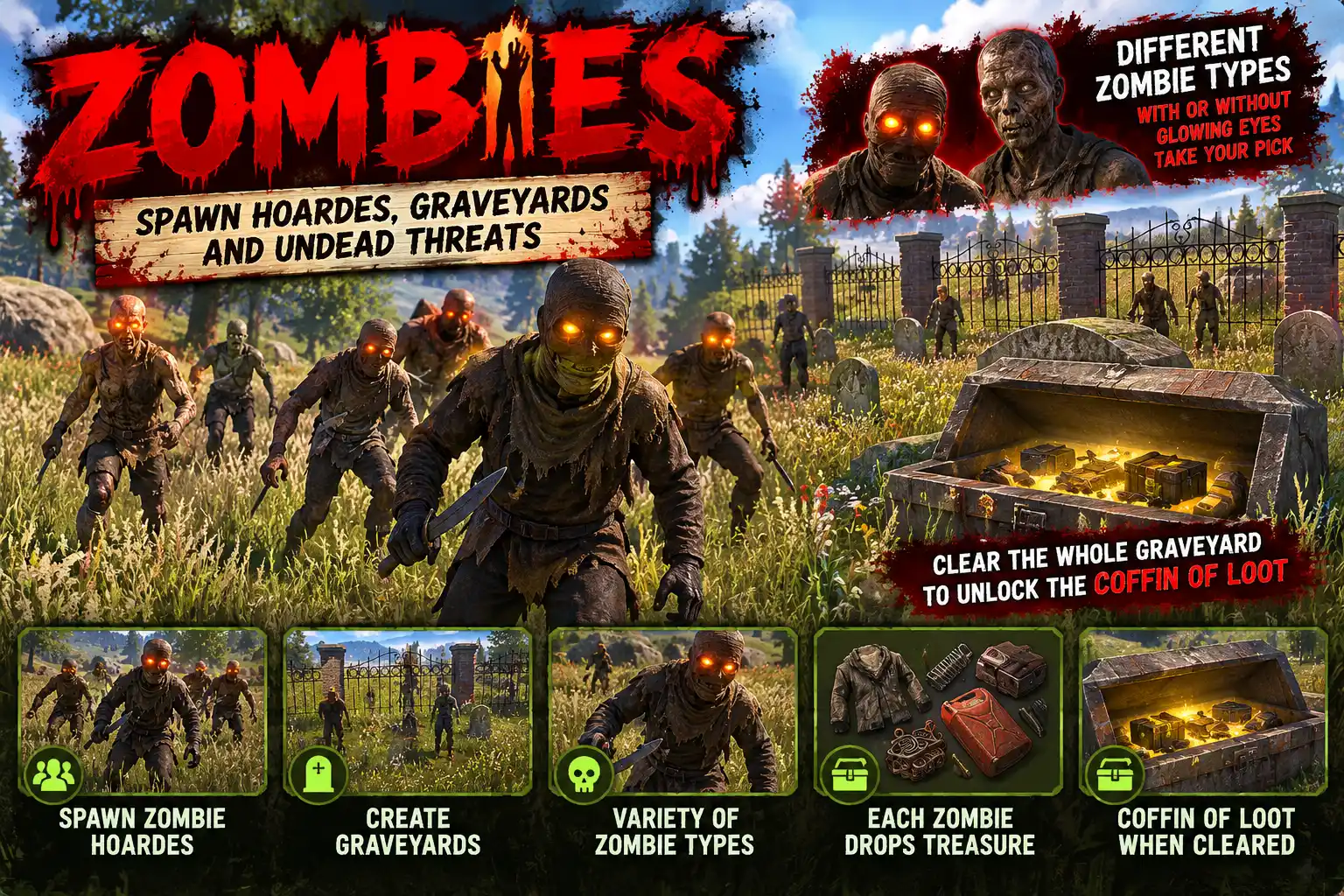
Zombies fills your map with the walking dead. Hordes roam the land, more of them come out at night, and any horde a player comes near wakes up and hunts them. Out in the wilds, graveyards wait with a horde lying in the ground. Walk in and the dead climb out of the earth in front of their headstones.
Hordes that roam
Each horde wanders round a home spot that drifts slowly across the map, so they never stay in one place. You set how many hordes are about by day and how many at night, and how big a horde can be. Each horde is a random mix of kinds.
Four kinds to start with
- Walker: slow and common
- Runner: fast but weak
- Brute: slow, tough and hits hard
- Screamer: screams when it sees a player and calls every horde near it
Each kind has its own health, damage, speed, weapons, clothes and loot. You can change them, add new kinds or delete them, all from the /zombies panel, picking weapons, outfits and loot from item pictures.
A zombie is the game's own Halloween scarecrow, dressed and armed the way you set. It chases and fights with the game's own AI, so it moves and attacks like a real enemy. Headshots matter: the game softens body shots on a scarecrow but not shots to the head. A Glowing eyes switch gives every zombie the game's own glowing eyes, which look great at night.
Graveyards
A few fenced plots of gravestones stand about the map, each with a horde buried in it. When a player comes within 40 m, the dead climb out of the ground and attack. Kill them all and a coffin of loot is dug up (scrap, metal fragments, bones, ammunition and more, set in the config). The dead rise again a while later, once nobody is there, and a graveyard that has been cleared moves somewhere new out of sight. Zombies waking anywhere else can climb out of the ground too.
Light on the server
A horde sleeps while nobody is near it. Its zombies are taken off the map and only counted, so a quiet map costs almost nothing. Zombies never appear within sight of a player, in a safe zone, in water or near anyone's tool cupboard, and they are kept out of rivers and the sea. Sleeping players are left alone unless you say otherwise, and bodies are cleared after a set time.
When the last zombie of a horde dies, everyone nearby gets a toast: "Well done! All zombies have been eliminated from this area."
Survives reloads
Hordes and graveyards are saved. A plugin reload leaves them standing and picks them up again. After a restart the graveyards are rebuilt where they stood and the hordes lie asleep where they were.
The /zombies panel
- HORDES: every horde on the map, awake or asleep, with GO, remove, spawn a horde and clear all
- GRAVEYARDS: every graveyard, with GO and spawn
- KINDS: add, rename and delete kinds, and set each one's stats, weapons, outfits and loot
- SETTINGS: every setting, including the scream sound, with a preview
Languages
English, Russian, German, French, Spanish, Brazilian Portuguese and Simplified Chinese are built in. Each player sees their own game language.
Every download is licensed to you and watermarked with your details.
Features
- Hordes of armed, dressed zombies roam the map
- More hordes at night than by day
- A horde wakes and hunts when a player comes near
- Walker, runner, brute and screamer kinds, and add your own
- Screamers call nearby hordes to the player they see
- Health, damage, speed, weapons, clothes and loot per kind
- Graveyards where the dead climb out of the ground
- A coffin of loot when a graveyard is cleared
- Cleared graveyards move somewhere new
- Optional glowing eyes
- Sleeping hordes are taken off the map, so a quiet map costs nothing
- Never spawn in sight of players, in safe zones, in water or near cupboards
- Hordes and graveyards survive reloads and restarts
- In-game /zombies panel with item pictures for every choice
- Seven languages built in
Install
- Download Zombies.cs from My Plugins.
- Drop it into
oxide/pluginsorcarbon/plugins. - Grant the admin permission to whoever will set it up (server admins can use it anyway):
o.grant user <name> zombies.adminOn Carbon use c.grant instead of o.grant. Players need no permission.
- That is all. Hordes and graveyards appear on their own. Type
/zombiesin game to change the kinds, numbers and loot, or/zombies hordeto put a horde in front of you.
The file name must stay Zombies.cs, because Oxide matches it to the class name.
The config is written to oxide/config/Zombies.json (or carbon/configs/Zombies.json) on first load. Everything in it can be changed from the /zombies panel.
Config
{
  "Hordes on": true,
  "Hordes on the map by day": 3,
  "Hordes on the map at night": 8,
  "Zombies in a horde, least": 4,
  "Zombies in a horde, most": 8,
  "Metres a horde roams round its home": 50.0,
  "Metres a horde's home drifts a minute": 20.0,
  "Metres from a player that wakes a horde": 200.0,
  "Never appear within this many metres of a player": 70.0,
  "Metres kept clear of tool cupboards": 40.0,
  "Hurt sleeping players": false,
  "Glowing eyes": false,
  "Seconds a body stays": 90.0,
  "Metres a scream carries": 200.0,
  "Seconds between screams": 30.0,
  "Graveyards on the map": 4,
  "Metres from a graveyard that raises its dead": 40.0,
  "Minutes before a graveyard's dead rise again": 30.0,
  "Seconds a zombie takes to climb out": 2.5,
  "Zombies waking elsewhere climb out of the ground": true,
  "Minutes a cleared graveyard stays before moving (0 = never)": 20.0
}
Commands & Permissions
Commands
Chat (zombies.admin)
/zombiesopens the settings panel (HORDES, GRAVEYARDS, KINDS, SETTINGS)/zombies statuslists the hordes on the map, awake or asleep/zombies horde [n]puts a horde of n in front of you/zombies spawn <kind> [n]puts n zombies of one kind in front of you/zombies graveyardputs a graveyard in front of you/zombies clearremoves every horde (new ones come)/zombies onor/zombies offswitches the hordes on or off
Console (admin or RCON)
zombies <same words>
Permissions
zombies.adminlets a player use/zombiesand thezombiesconsole commands
Server admins can use them without it. Players need no permission.
Changelog
| Version | Released | Changes |
|---|---|---|
| v0.5.1 latest | Initial release. |