Overview
MarkerDistance answers a question the Rust map never does: how far apart are the places I have marked?
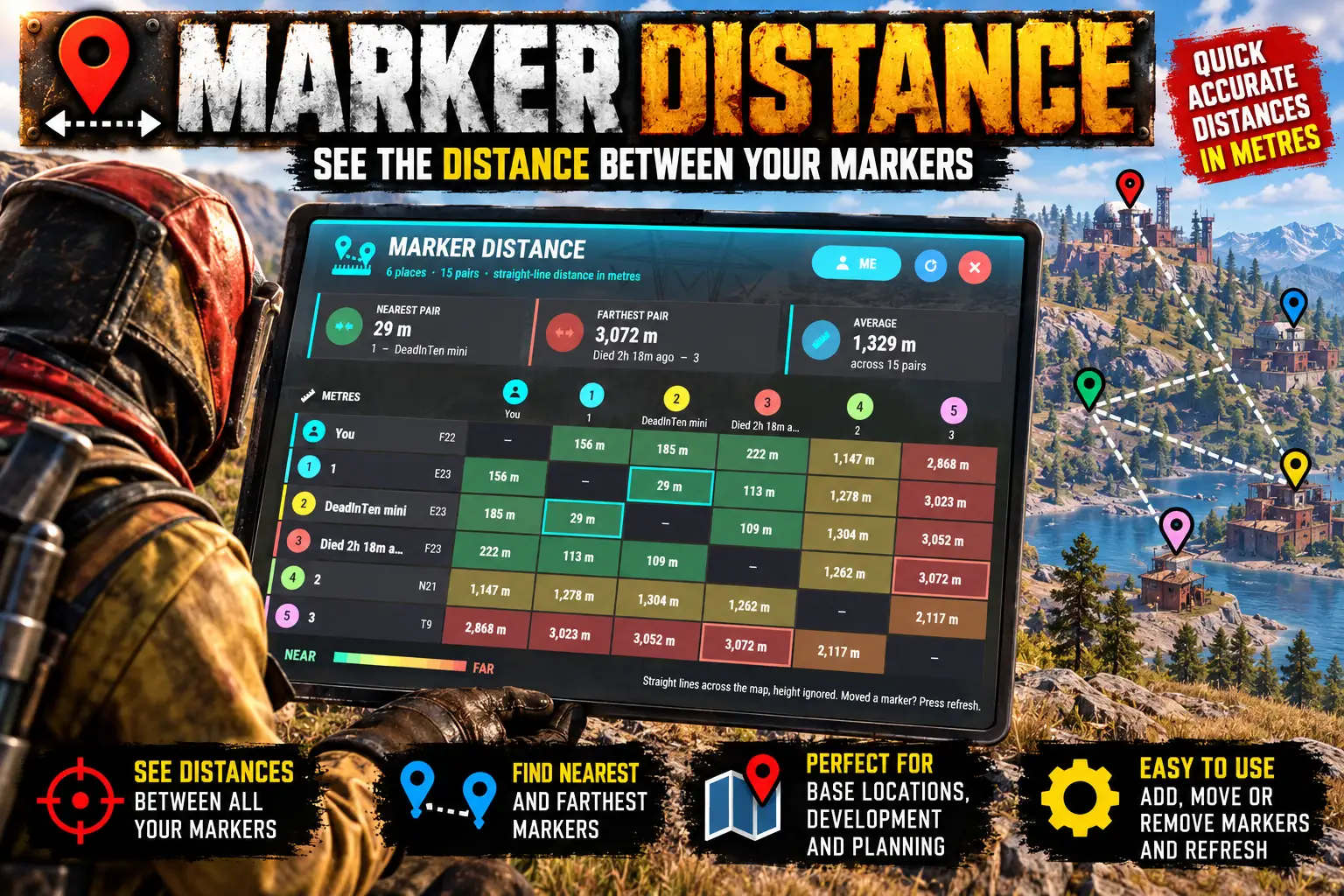
Type /md and every map marker you have placed is set against every other in a table. Five markers give a five by five grid with the distance in metres between each pair.
Easy to read at a glance
Each marker keeps its own colour and number from the map, and a marker you have named shows its name. Cells are shaded from green (close) to red (far). The nearest and the farthest pair are outlined and shown in tiles above the table, with the average distance.
Distances are straight lines across the map, the way the map itself measures them: height is ignored.
Where am I?
The ME button adds you to the table, so you can see how far you are from each marker as well. It is remembered for each player.
Pings and your last death
Up to 12 places are shown at once. Pings and where the player last died can be added in the config (both off by default).
Console too
markerdistance.print writes the table to the F1 console as text, and markerdistance.open can be bound to a key.
Languages
English, Russian, German, French, Spanish, Brazilian Portuguese and Simplified Chinese are built in, with no lang files to install. Each player sees the language their own client is set to.
Every download is licensed to you and watermarked with your details.
Features
- Distance between every pair of your map markers in one table
- Markers keep their own colour, number and name
- Shaded green (close) to red (far)
- Nearest pair, farthest pair and average distance shown
- ME button adds you to the table, remembered per player
- Up to 12 places at once
- Pings and last death spot optional (config)
- Table printed to the F1 console on request
- Console command bindable to a key
- Seven languages built in
Install
- Download MarkerDistance.cs from My Plugins.
- Drop it into
oxide/pluginsorcarbon/plugins. - Grant the permission to everyone who should use it:
o.grant group default markerdistance.useOn Carbon use c.grant instead of o.grant.
The file name must stay MarkerDistance.cs, because Oxide matches it to the class name.
The config is written to oxide/config/MarkerDistance.json (or carbon/configs/MarkerDistance.json) on first load. Edit it, then reload the plugin (o.reload MarkerDistance or c.reload MarkerDistance).
Config
{
  "Include pings": false,
  "Include where the player last died": false,
  "Include the player (ME) until they switch it": false
}
Commands & Permissions
Commands
Chat
/md— opens the table (/markerdistancedoes too)/md me— adds you to the table, or takes you out
F1 console
markerdistance.open— the same as/md; bindable, for examplebind k markerdistance.openmarkerdistance.print— writes the table to your F1 console as text
Permissions
markerdistance.use— lets a player use/md
Changelog
| Version | Released | Changes |
|---|---|---|
| v0.1.0 latest |
|