Overview
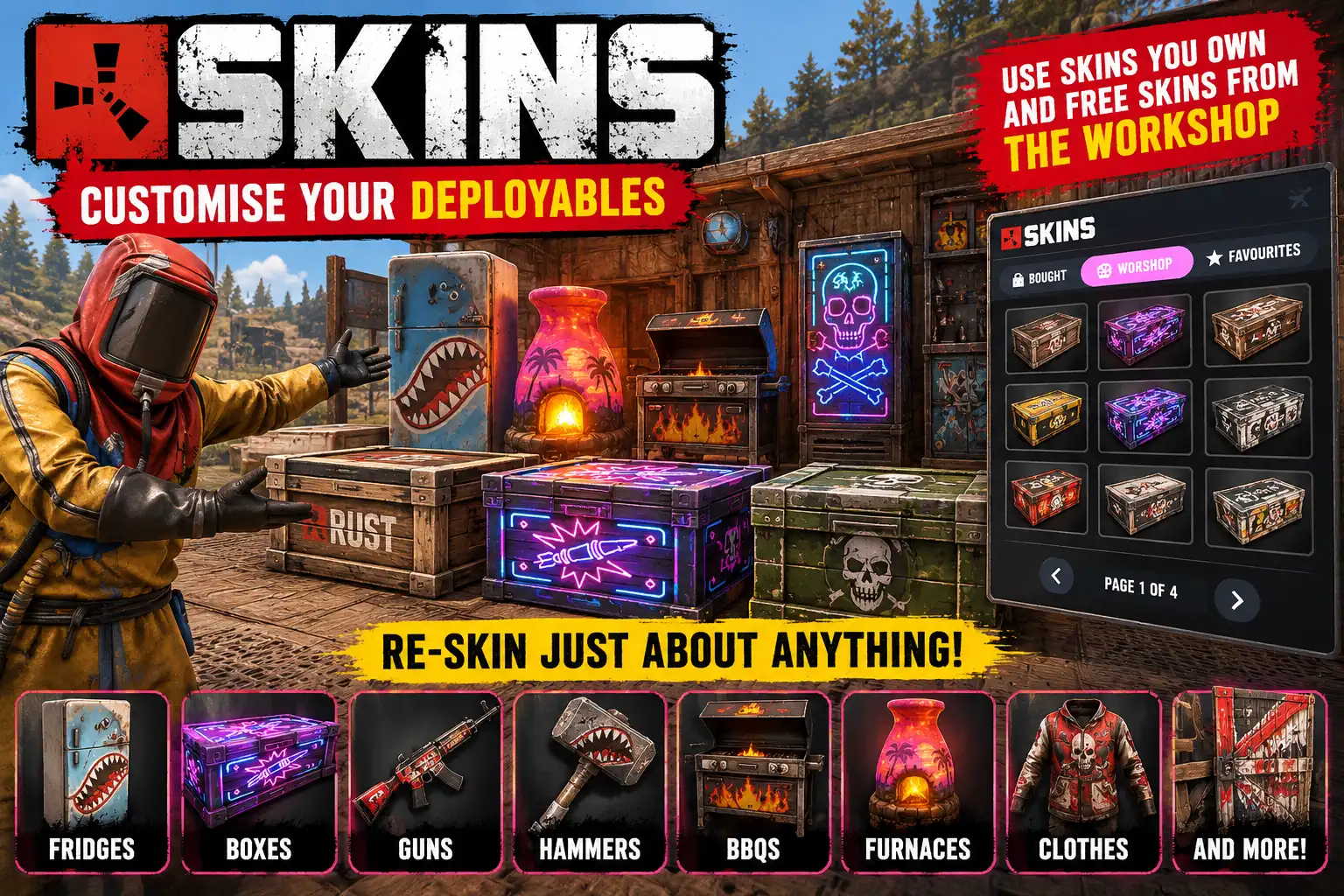
Skins gives your players a proper skin menu for their doors, boxes and other deployables. Look at something you placed, type /skins, and pick a skin from a panel of pictures. It goes on straight away.
Mark your favourites and put the ones you alway use in the "Auto" section so any item you craft or picking of that object type (eg. large box), gets your chosen "go to" skin.
It works on anything with skins in your toolbelt too: weapons, tools and the rest. With nothing skinnable in view, /skins opens on the item in your hand.
Keeps to Facepunch's rules
Facepunch's server rules forbid a server to give players paid skins, Twitch drops or DLC they have not bought. So by default Skins offers each player only the skins their own Steam account owns, the same ownership check the game's own spray can uses, plus Workshop skins Facepunch has not accepted into the game. Anything else is refused. Out of the box, your server stays on the right side of the rules.
An admin setting can offer every skin, owned or not, either to skins.admin holders only (to try them yourself) or to everyone. Either one breaks Facepunch's rules and is entirely the server owner's choice and risk; the panel warns you plainly and asks for a second click before it changes.
With access to just the Free and Workshop skins you still get literally hundreds of pages of most deployables. So you're only missing out on a select few by playing by the rules.
What is in the panel
- BOUGHT: the skins you own for that item, each a picture tagged MARKET or TWITCH, with a tick on the one it wears.
- WORKSHOP: community skins from the Steam Workshop, most voted first or matching your search. Needs a free Steam Web API key.
- FAVOURITES: click the star on any skin to keep it here, kept through restarts and wipes.
- AUTO: click the bolt on a skin and it goes on by itself on every one of that item you craft, and on every one you place. A box picked up in the wild takes your house style.
A search box, a GLOWS ONLY switch for skins that glow in the dark, DEFAULT to go back to the plain look, and CLOSE ON PICK (on by default) to shut the panel once a skin is on. Reopening /skins takes you back to where you were.
New-model skins
Skins that change the model, such as the DLC box and door models, are offered too when owned. The thing is swapped for the new model the way the spray can does it, keeping its contents, health, lock and wiring.
Only your own things
Players can skin only what they placed themselves. A server admin can skin someone else's: /skins on it names the owner, and /skins again within 10 seconds opens it.
Light on the server
Skin pictures are saved once at a small size and sent from your server after that, and the next page is fetched while you look at this one.
Languages
English, Russian, German, French, Spanish, Brazilian Portuguese and Simplified Chinese are built in, with no lang files to install. Each player sees the language their own client is set to. Item and skin names stay as Steam gives them.
Every download is licensed to you and watermarked with your details.
Features
- Skin doors, boxes and other deployables you placed
- Skin weapons, tools and anything else in your toolbelt
- Only skins the player owns, by default (Facepunch's rules)
- Steam Workshop skins, most voted or by search (free API key)
- Favourites, kept through restarts and wipes
- AUTO skins: put on by themselves as you craft or place
- New-model DLC skins swapped in, contents and lock kept
- Search box and a GLOWS ONLY switch
- In-game SETTINGS for admins: API key and who sees unowned skins
- Admins can skin other players' things after confirming
- Seven languages built in
Install
- Download Skins.cs from My Plugins.
- Drop it into
oxide/pluginsorcarbon/plugins. - Grant the permissions:
o.grant group default skins.use
o.grant group admin skins.admin
On Carbon use c.grant instead of o.grant. Admins need skins.use as well to open the panel.
The file name must stay Skins.cs, because Oxide matches it to the class name.
The config is written to oxide/config/Skins.json (or carbon/configs/Skins.json) on first load. Edit it, then reload the plugin (o.reload Skins or c.reload Skins).
Optional: the WORKSHOP tab. It needs a Steam Web API key, free at steamcommunity.com/dev/apikey. Paste it into SETTINGS at the top of the panel, run skins.setkey <key> in the server console, or put it in the config. Everything else works without one.
Config
{
  "Steam Web API key (WORKSHOP tab; free at steamcommunity.com/dev/apikey)": "",
  "Offer skins players don't own: off, admins or everyone (Facepunch's rules forbid it; your own risk)": "off"
}
Commands & Permissions
Commands
Using it
- Look at a door, box or other deployable you placed, or put something with skins in your toolbelt.
- Type
/skins. - Click a skin. It goes on at once.
Chat
/skins— opens the skin panel on what you are looking at, or on your toolbelt; again closes it
F1 console
skins.ws <workshop id>— with the panel open, puts that Workshop skin on what it is skinning
Server console (or F1 for skins.admin holders)
skins.mode off|admins|everyone— who is offered skins players don't own (offkeeps to Facepunch's rules)skins.setkey <key>— sets the Steam Web API key for the WORKSHOP tabskins.clearkey— removes the keyskins.list <item shortname>— lists every skin for that item (server admins)
Permissions
skins.use— use/skinson your own deployables and toolbelt itemsskins.admin— the SETTINGS screen (Steam Web API key, who is offered skins they don't own) and theskins.mode,skins.setkeyandskins.clearkeyconsole commands (needsskins.usetoo)
Changelog
| Version | Released | Changes |
|---|---|---|
| v0.7.5 latest |
|