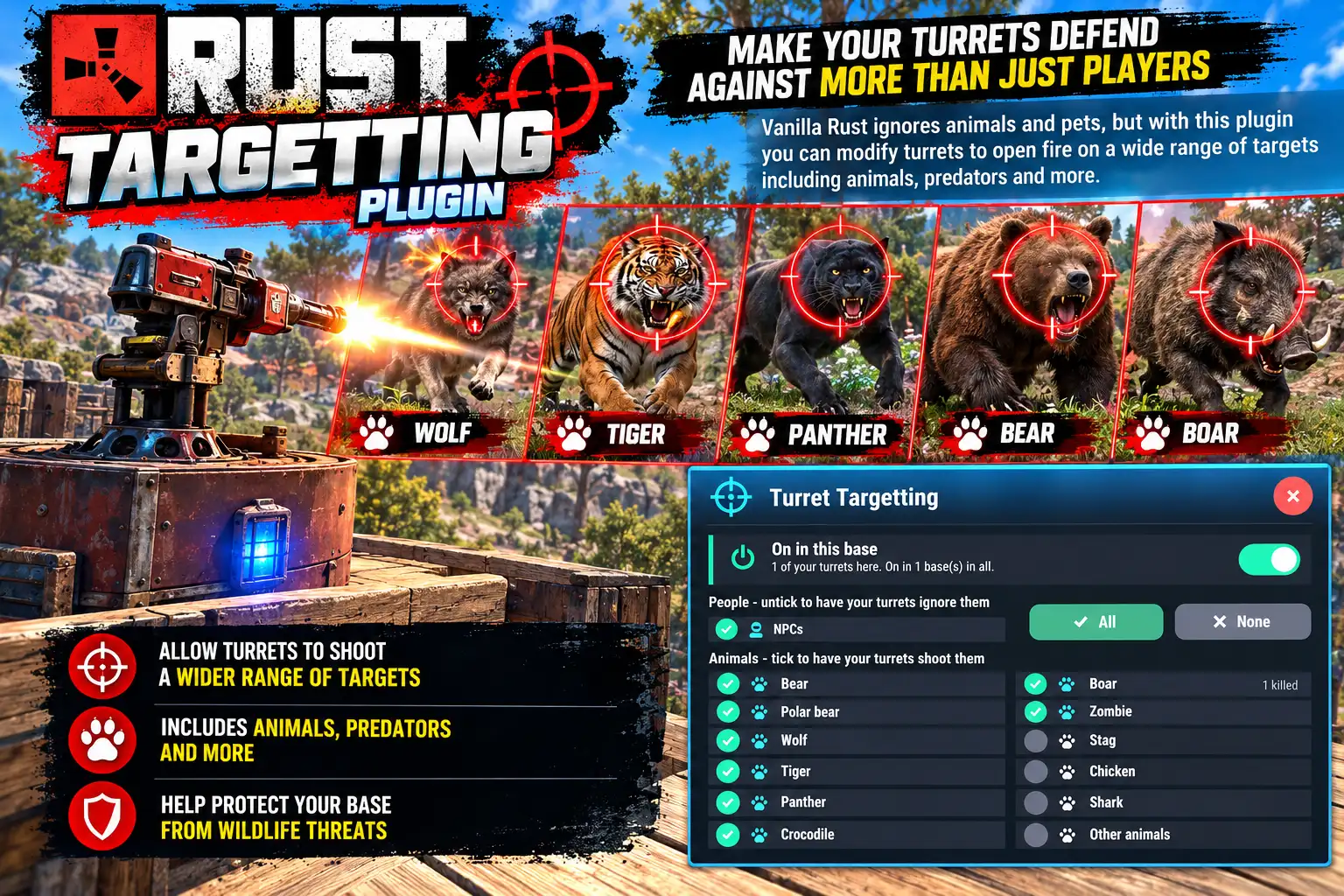
Overview
A vanilla auto turret ignores animals. With Targetting, each player ticks the animals they want their turrets to engage, and switches it on base by base. Every other turret on the map stays vanilla.
People still come first: a turret shooting an animal switches to a player the moment one walks into range. Turrets following your choices carry a blue light so you can see which ones they are.
Every download is licensed to you and watermarked with your details.
Features
- Turrets that shoot bears, wolves, boars and more
- Switched on per base
- Players always take priority
- Optional: turrets that leave NPCs or players alone
- Seven bundled languages
Install
- Download Targetting.cs from My Plugins.
- Drop it into
oxide/pluginsorcarbon/plugins. - Grant the permission:
o.grant group default targetting.useThe file name must stay Targetting.cs — Oxide matches it to the class name.
Commands & Permissions
Commands
/targetting— open the panel/targetting on|off— switch the base you stand in- Console:
targetting.toggle,targetting.kind <key>,targetting.all <0|1>
Permissions
targetting.use— turrets follow the player's choices
Changelog
| Version | Released | Changes |
|---|---|---|
| v0.3.2 latest | Support now goes to the Support section at DeadInTen.uk. No change in behaviour. |
|
| v0.3.1 |
|