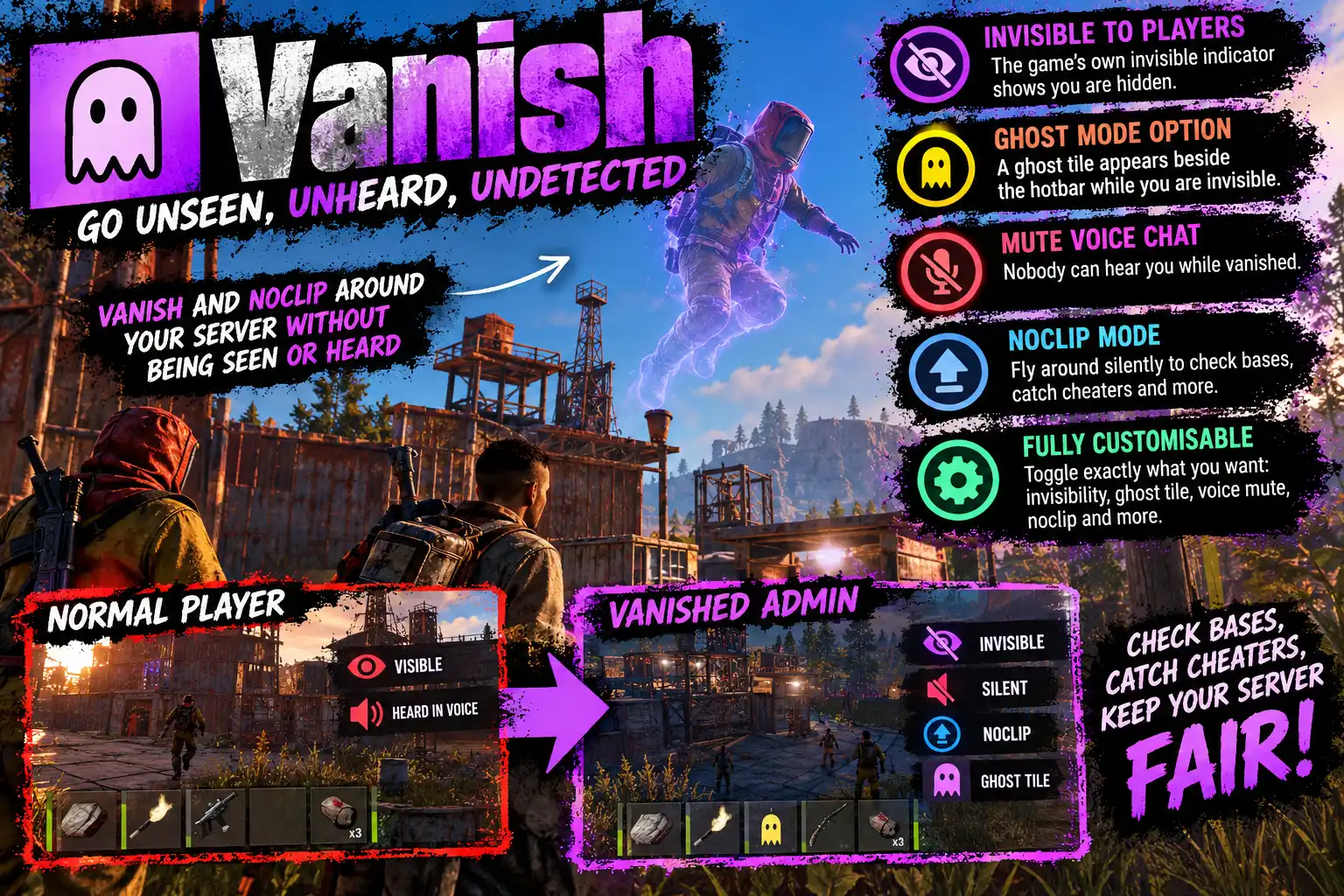
Overview
Vanish makes an admin truly invisible. Type /vanish and you are gone from every other player's game: no body, no name tag, nothing in your hands, no footsteps and no shadow. Watch a suspected cheater up close, check out a raid as it happens, or move around an event without anyone knowing you are there. Type it again and you are back.
How it works
Vanish doesn't hide you with tricks like a transparent skin, a teleport under the map or an overlay. It uses the game's own invisibility, the same one Facepunch built into Rust behind the debug.invis console command, and does exactly what that command does, step by step:
- You are never sent to anyone else. Other players' games are told to forget you, and the server stops sending you to them at all. There is no model on their screen to spot, so nothing can show you up: not ESP, not a sound, not a shadow.
- What you hold goes with you. Your weapon and tools are part of you on the network, so they vanish too.
- Nothing finds you. You are taken out of the server's search for nearby players, so animals, scientists and turrets don't target you, and the AI forgets you if it already knew you were there.
- You pass through people. Your collider is switched off, so other players and their bullets go straight through you instead of hitting thin air.
- The antihack leaves you alone. Rust already ignores an invisible player, so noclipping or flying while vanished never gets you kicked.
Because it is the game's own invisibility, everything in Rust that already respects it respects Vanish, and it keeps working as the game changes.
Silent as well as invisible
- Voice chat is muted the moment you vanish, so a slip of the push-to-talk key does not give you away. It is unmuted when you reappear, or you can mute and unmute by hand with
/vanish mute. - Noclip comes on as you vanish, so you hover instead of walking, with no footsteps and no landing sounds, and it goes off again as you reappear. Noclip needs you to be a server admin (owner or moderator), because the game refuses it to anyone else.
Each of those four is a switch, so you can keep your voice on, or walk instead of fly, if you prefer.
You always know you are hidden
While you are vanished, the game's own invisible indicator is shown to you. Vanish also has its own small ghost tile, which sits beside the hotbar just left of the god mode shield, if you would rather have that as well or instead.
It stays on
A vanished admin stays vanished through dying and respawning, through disconnecting (your sleeper is hidden as well, so nobody finds you asleep) and through a server restart, until you type /vanish again. If the plugin is ever unloaded, everyone is made visible, so nobody is left stuck invisible.
Set up in game
/vanish setup opens a panel that shows whether you are invisible, with VANISH / REAPPEAR and MUTE / UNMUTE buttons, and a switch for each option in sections. Click a switch and it is saved at once, with no reload.
Worth knowing
Sounds the server itself plays for what you do, such as an axe hitting a tree, bullets hitting a wall or a building piece going up, can still be heard nearby. Neither Carbon nor Oxide offers any way to stop those. Noclip avoids most of them, since you are not touching anything. Your team mates still see where you are on their team screen, as the game always shows them.
Languages
English, Russian, German, French, Spanish, Brazilian Portuguese and Simplified Chinese are built in, and each admin sees their own.
Every download is licensed to you and watermarked with your details.
Features
- Complete invisibility with one command: /vanish
- Uses the game's own invisibility, the one behind debug.invis
- Nothing is sent to other players: no body, name, held item or shadow
- Animals, NPCs and turrets ignore you
- Players and bullets pass through you
- Voice chat muted while vanished
- Noclip on as you vanish, off as you reappear (admins)
- The game's own invisible indicator, plus an optional ghost tile
- Stays on through death, disconnect (sleeper hidden too) and restarts
- Bindable console command for a one-key vanish
- Settings panel in game, saved without a reload
- Seven languages built in
Install
- Download Vanish.cs from My Plugins.
- Drop it into
oxide/pluginsorcarbon/plugins. - Grant the permissions to your admins only:
o.grant group admin vanish.use
o.grant group admin vanish.admin
On Carbon use c.grant instead of o.grant. For noclip to come on while vanished, the admin must also be a server admin (ownerid or moderatorid).
To vanish with a single key, bind it in the F1 console:
bind v vanish.toggleThe file name must stay Vanish.cs, because Oxide matches it to the class name.
The config is written to oxide/config/Vanish.json (or carbon/configs/Vanish.json) on first load. Change it in game with /vanish setup, or edit the file and reload the plugin.
Config
{
  "Mute voice when vanishing": true,
  "Unmute voice when reappearing": true,
  "Noclip when vanishing": true,
  "Noclip off when reappearing": true,
  "Show the ghost tile beside the hotbar": false,
  "Send the game's own invisible indicator": true,
  "Tile left edge (screen units from the centre; negative is left)": -273.0,
  "Tile bottom edge (screen units up from the bottom)": 18.0,
  "Tile size (screen units)": 30.0
}
Commands & Permissions
Commands
Chat
/vanish— become invisible, or visible again/vanish mute— mute or unmute your own voice chat by hand/vanish setup— open the settings panel
Console
vanish.toggle— the same as/vanish, bindable to a key (bind v vanish.toggle)vanish.mute— the same as/vanish mute, bindablevanish.setup— open the settings panel
Permissions
vanish.use— lets a player vanish. Give it to admins only.vanish.admin— opens/vanish setupand changes the settings.
If a player loses vanish.use while vanished, they reappear the next time they respawn, wake up or reconnect.
Changelog
| Version | Released | Changes |
|---|---|---|
| v0.4.1 latest |
|