Overview
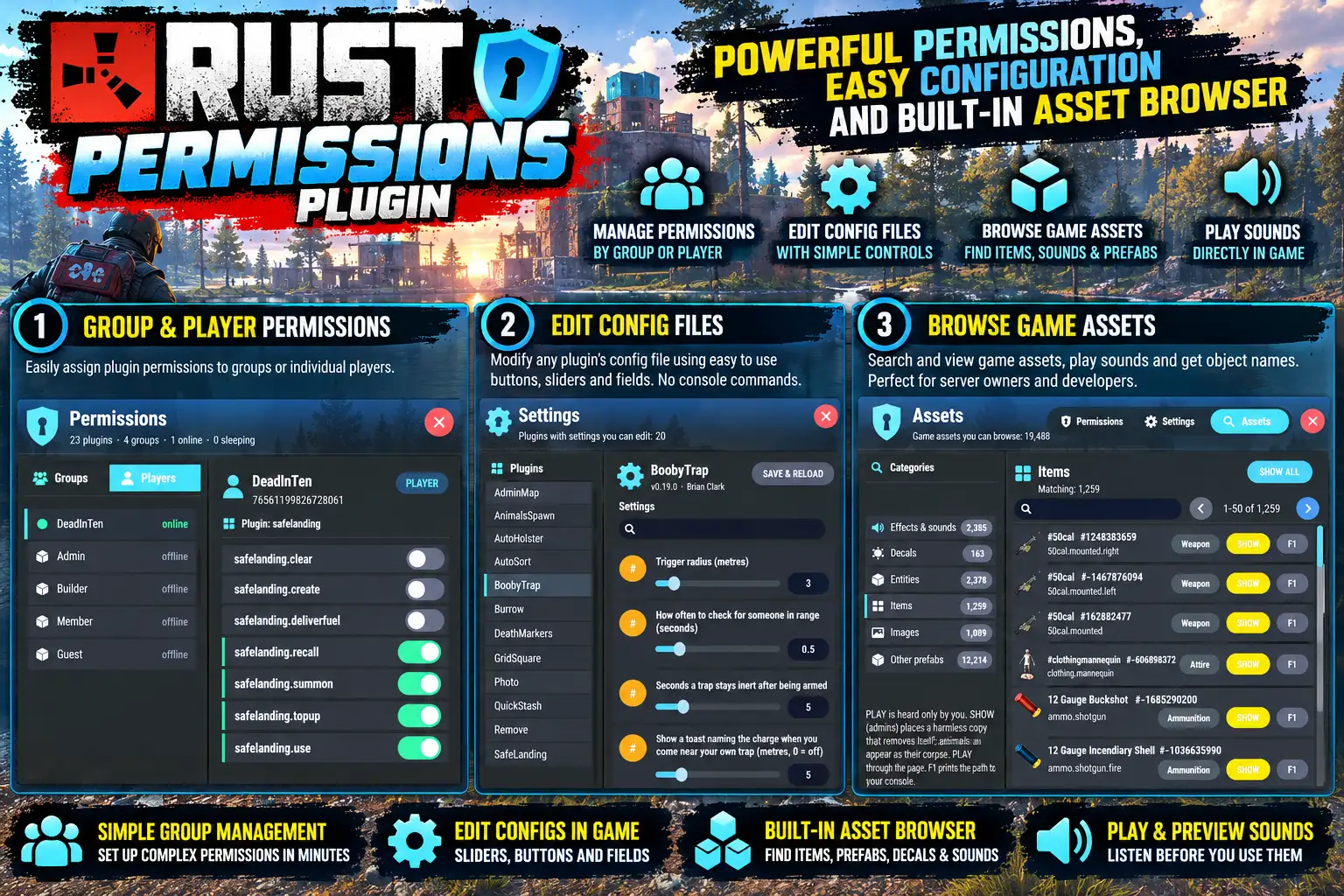
/perms opens a panel of every plugin's permissions. Switches change direct grants to groups and players; granting to default needs a second click.
The Settings tab edits a plugin's config in memory, then SAVE & RELOAD writes the file and reloads the plugin. Every change is logged.
Also has an asset viewer so developers can see what items look like and grab their identity names by hitting F1 copy. For sounds you get the option to play them.
Every download is licensed to you and watermarked with your details.
Features
- Every permission as a switch
- Edit plugin configs in game
- View game assets and sounds
- Save and reload in one click
- Every change logged
- Seven bundled languages
Install
- Download Perms.cs from My Plugins.
- Drop it into
oxide/pluginsorcarbon/plugins. - Grant the permission:
o.grant group default perms.useThe file name must stay Perms.cs — Oxide matches it to the class name.
Commands & Permissions
Commands
/perms— open the panel
Permissions
perms.use— permissions tabperms.config— settings tab
Grant to named players only: oxide.grant user <name> perms.use
Changelog
| Version | Released | Changes |
|---|---|---|
| v0.8.1 latest | Support now goes to the Support section at DeadInTen.uk. CheatAlarm and Ziplines added to the list of DeadInTen plugins; the sign prefab is looked up in lower case. |
|
| v0.8.0 |
|